Point Assistant
This feature uses LLM functionality which means admin opt-in required. It is off by default; processing runs through Microsoft Foundry (Azure-hosted models) in your selected Azure region, and your data is never used to train the foundation models. Take a look at the AI Data Privacy & Security and Enable AI features articles for more details.
Point Assistant lets you ask everyday governance questions in plain language - who has access to what, why a user is risky, what an account has been doing — without knowing which of dozens of reports to run or where each setting lives.
The Assistant answers from Syskit Point's own data: audit logs, users, workspaces, permissions, and reports. It turns "go look through dashboards" into a conversation.
Requirements
- An admin must enable AI features in Settings.
- You need a Syskit Point account.
- The Assistant answers within the limits of your Point role - it never shows you data your role can't access.
Open the Assistant
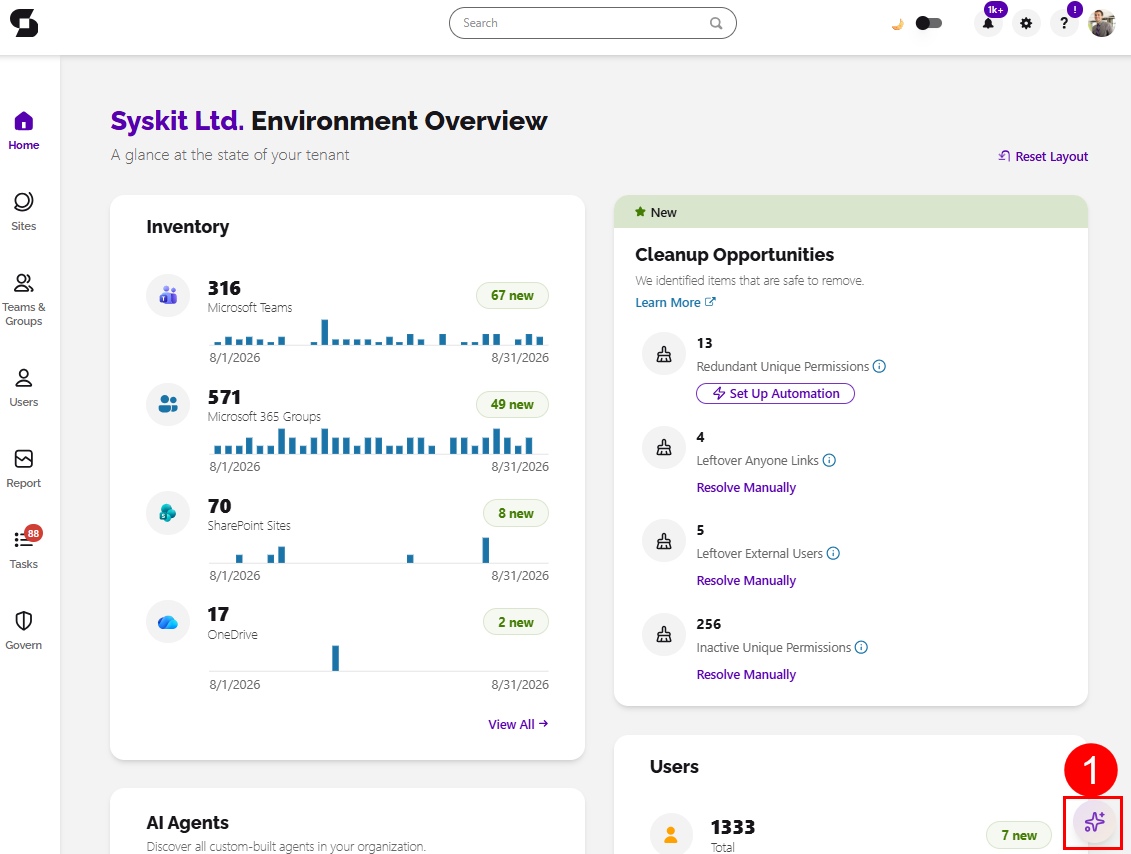
- In Syskit Point, select the Point AI Assistant icon (1) in the bottom-right corner.
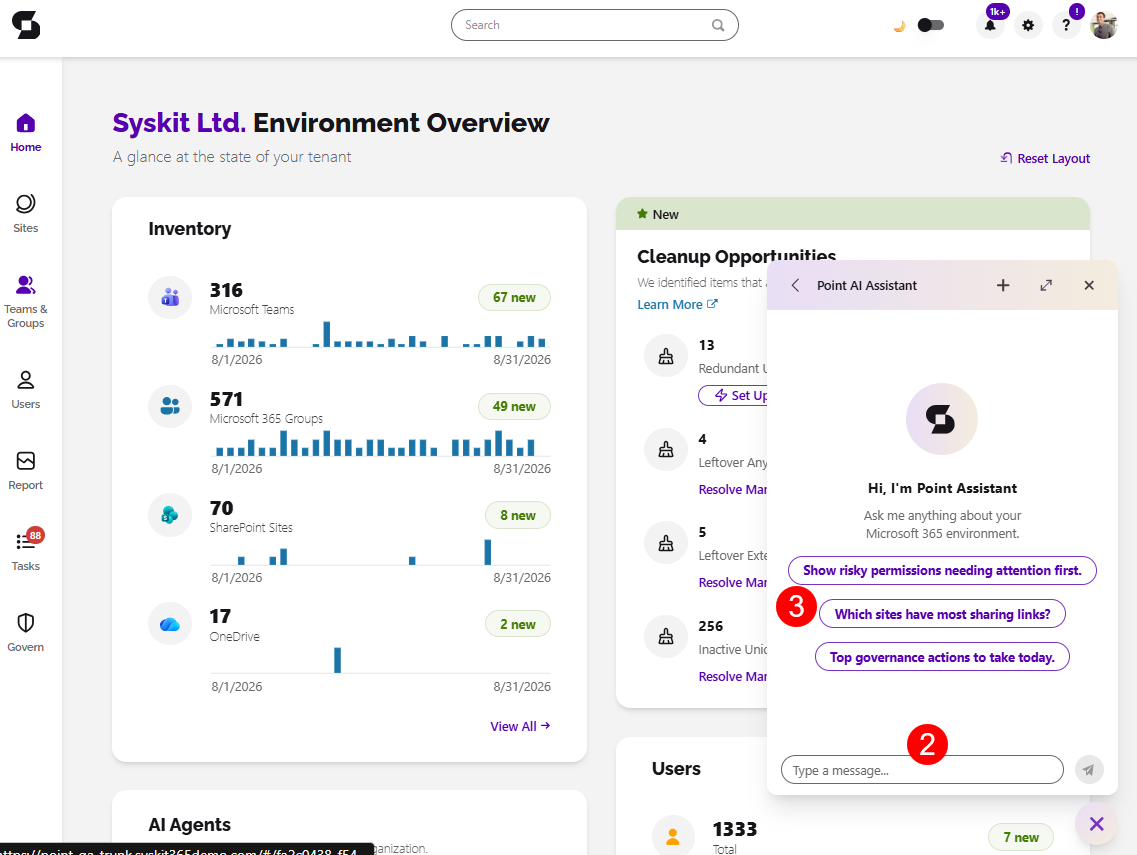
- Type your question (2), no special syntax is needed, or select one of the available prompts (3).
Initial Questions
The Assistant covers users, groups and teams, SharePoint sites, storage, audit activity, Point reports, and Power Platform.
Try these to get a feel for how it works:
- "Which groups and sites can Eva Green access?"
- "Who owns the Marketing team?"
- "Show inactive SharePoint sites."
- "Who deleted (file name) last week?"
- "Find sites nearing their storage quota and tell me where version cleanup would save the most space."
- "(User Name) is leaving on Friday. Show their groups, sites, apps, flows, and ownership responsibilities."
Sugestions for Better Answers
- Name the user, site, or group as precisely as you can — name, email, or sign-in name all work.
- For activity questions, include a time range: "in the last 30 days", "between May 1 and May 25".
- Ask compound questions when you need a full picture — the Assistant can chain lookups across users, access, activity, and reports in one ask.
Please Note, the Point AI Assistant:
- Is read-only.
- The Assistant delivers findings and recommended steps; it does not make administrative changes. To act on a finding, follow the link into the relevant Point report.
- Shows Point data only.
- Answers come from data synced into Syskit Point — very recent tenant changes appear after the next sync, and activity answers are limited by your audit retention period. It doesn't answer general knowledge questions.
- Shows no fabrications.
- If the data isn't there, the Assistant says so rather than inventing records.